Create Account
create-account.RmdCreate an account
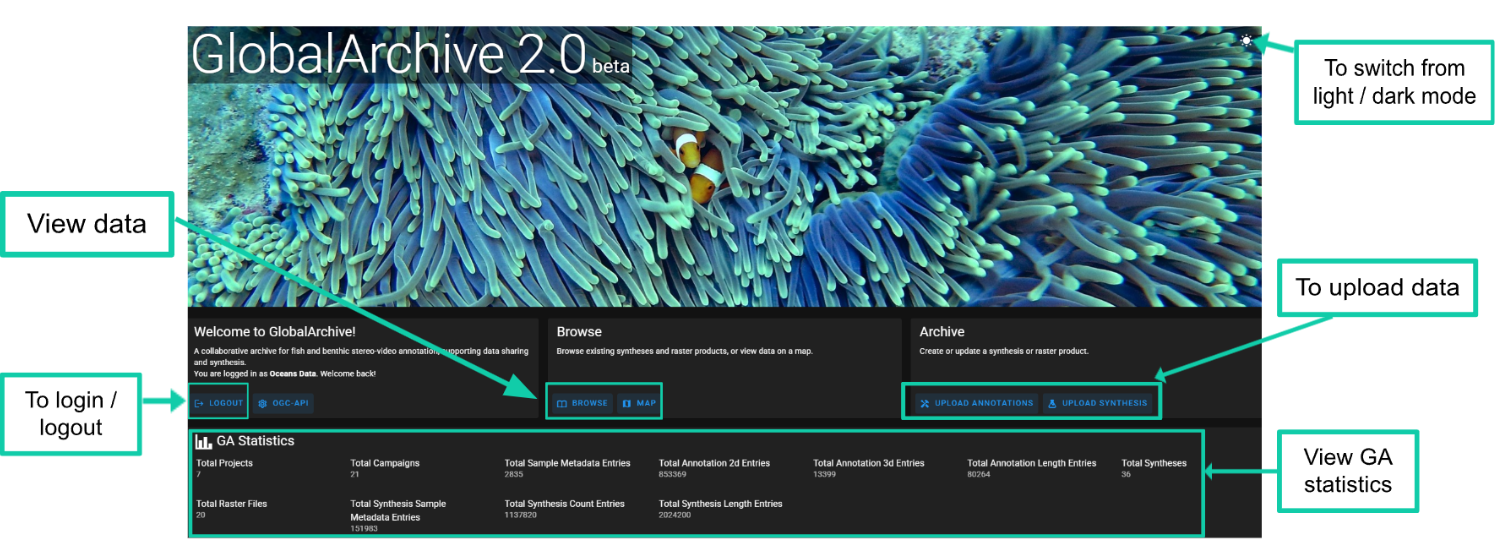
Navigate to GlobalArchive.org 2.0
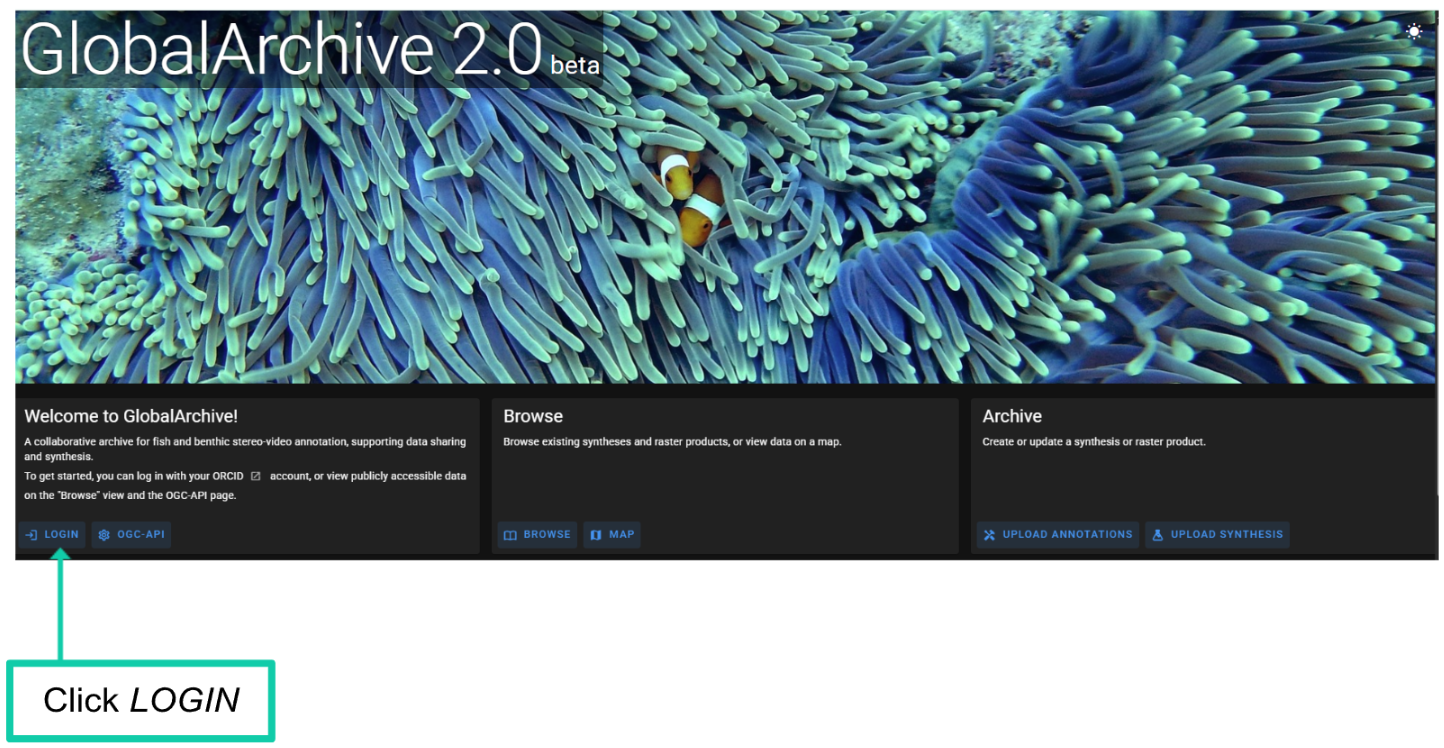
Click LOGIN
If you work for an organisation in a role - we recommend you consider using a role-based email to register for an ORCID e.g. for the UWA Oceans Institute we have created https://orcid.org/0009-0007-2402-2916 using oceans.data@uwa.edu.au to help ensure continuity of data custodianship as people change roles.
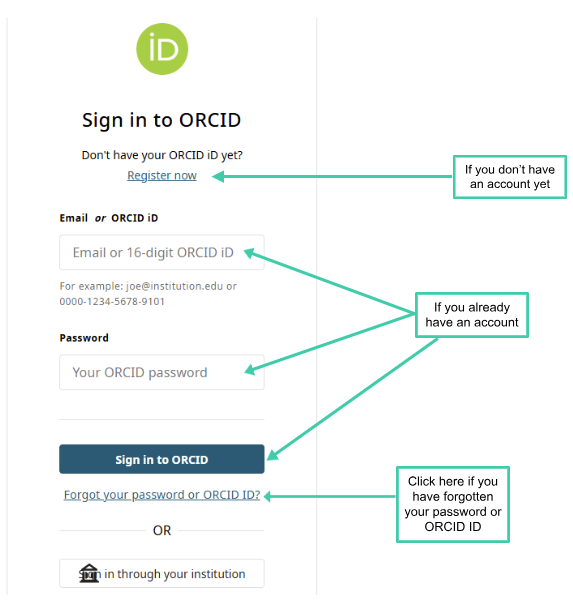
GlobalArchive uses ORCID IDs for user authentication.
-
If you already have an ORCID:
- Enter your account details. Click Sign in to ORCID.
-
If you don’t have an ORCID:
- Select Register now and create an ORCID.
-
If you have forgotten your ORCID ID or password
- Click ‘Forgot your password or ORCID ID?’ and follow the instructions on the page.